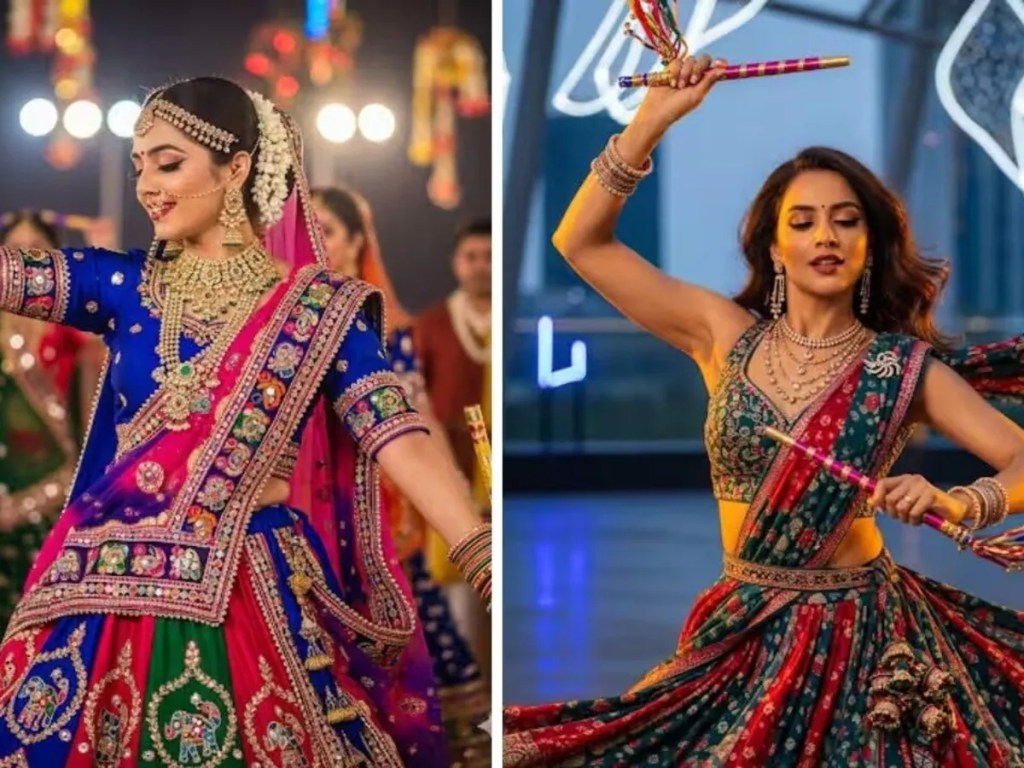
As Navratri, Durga Puja, and Dandiya nights approach, the fashion world is turning to AI for festive inspiration. The Gemini Nano Banana tool has sparked a new trend where users are asking it to generate chaniya choli and ghagra choli looks — complete with mirror work, traditional jewellery, and vibrant colours. If you want to join in, here are some top prompts and tips to create festive, cinematic-style AI images.
Why This Trend is Catching On
- The rise of Gemini’s new AI-image generation feature, Nano Banana, has enabled users to effortlessly design unique outfits and looks.
- People began with retro Bollywood saree aesthetics. Now, with the festive season around, the trend has evolved to chaniya choli and dance-oriented, holiday looks.
- The simplicity: upload a photo + use a descriptive prompt = a beautifully designed AI image to celebrate festivals.
5 Prompts to Generate Chaniya Choli Looks
Here are five creative prompts you can try with Gemini’s Nano Banana to get festive AI images:
- Vibrant Mirror-Work Portrait
“Create a 4K HD realistic Garba portrait. The outfit should be a vibrant chaniya choli with heavy mirror work. Add traditional jewellery and a colourful dupatta. The background should be festive with warm lighting.” - Mid-Twirl Dance Scene
“Create a 4K HD Garba dance scene. The girl should be mid-twirl in a flowing ghaghra choli, holding dandiya sticks in both hands. Add golden-hour sunlight and retro 90s film grain for a cinematic effect.” - Vintage Navratri Poster Vibe
“Convert this photo into a vintage Navratri poster. Dress the girl in a vibrant ghaghra choli with intricate embroidery and oxidised jewellery. Add warm golden sunlight to her face and a subtle, retro-textured background.” - Traditional Dancing Pose
“Create a high-energy image of a woman performing a traditional Indian dance. She is wearing a bright, multi-colored chaniya choli with beads and bells, holding dancing sticks. She is posed mid-step in a studio setting with a clean background.” - Stylish Colour Combination & Lighting
“Create a realistic portrait where the subject is wearing a black, red, and white lehenga with heavy mirror work. The background is a warm retro wall with golden side lights.”
How to Use These Prompts in Gemini Nano Banana
If you want your AI image to turn out great, follow these simple steps:
- Open the Gemini app on your phone, or use the web version.
- Upload a high-resolution photo from your gallery. Lighting and clarity help significantly.
- Type in any of the above prompts. Be as detailed as possible for colours, accessories, lighting, mood.
- Let Gemini generate the image — it usually takes just a few seconds.
- Once completed, download the image using the option on top right.
Tips for Best Results
- Always use a clear, well-lit input photo as your base.
- Specifying details like embroidery style, jewellery type, and lighting (golden hour, studio etc.) improves realism.
- Try adding vintage textures or film grain to match popular aesthetics.
- Experiment with colour combinations — contrast and warmth often make images pop.



 NudgedUp
Leave a comment