
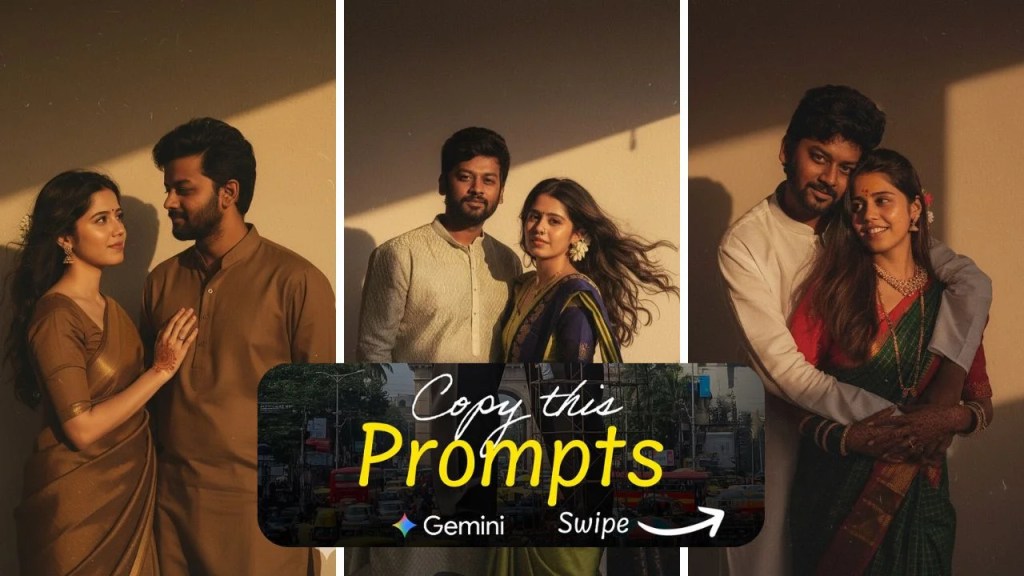
A captivating trend has taken over social media platforms, particularly Instagram: transforming everyday selfies into glamorous, retro Bollywood-style portraits using Google Gemini’s Nano Banana tool. This ‘Vintage Saree’ AI trend allows users to reimagine themselves as timeless film icons from the 1990s, complete with chiffon sarees, dramatic lighting, and cinematic backdrops.
What Is the ‘Vintage Saree’ AI Trend?
Powered by Google Gemini’s Nano Banana tool, the ‘Vintage Saree’ trend enables users to convert their photos into stylized portraits reminiscent of classic Bollywood movie posters. By uploading a clear solo image and applying specific prompts, individuals can achieve a look that echoes the elegance and drama of 90s-era cinema. The results often feature subjects in flowing sarees, soft lighting, and moody, artistic settings.

Popular Prompts to Achieve the Retro Look
To create these vintage-inspired images, users have been employing detailed prompts. Here are some examples:
- Classic Black Saree Prompt:
“Turn this person into a 90s retro-inspired portrait wearing a shimmering black chiffon saree. The background is a deep wall with dramatic shadows, lit by golden-hour tones. Expression is calm yet mysterious, evoking old Bollywood posters.” - White Polka-Dot Saree Prompt:
“Create a realistic portrait of a woman in a translucent white polka-dot saree with matching blouse. A soft pink flower is tucked behind her ear, and warm light from the side casts a cinematic shadow. She exudes vintage diva energy.” - Red Saree Drama Prompt:
“Transform the subject into a classic Bollywood heroine in a flowing red chiffon saree, hair styled in soft waves. Background should be warm-toned, minimalist, with glowing sunset light giving a romantic and dramatic mood.” - Purple Chiffon Prompt:
“Reimagine this photo in a retro, grainy yet bright style. The subject wears a purple chiffon saree with a playful, moody vibe. She stands in front of an old wooden door as wind blows through her hair, evoking a 90s cinematic scene.” - Banarasi Elegance Prompt:
“Convert this person into a timeless portrait draped in a golden Banarasi saree, with a flower tucked into the hair. The lighting is golden and artistic, casting a soft glow. The background is textured but simple, like an art-house poster.”
These prompts guide the AI to generate images that capture the essence of retro Bollywood aesthetics, allowing users to relive the glamour of the past.
How to Create Your Own Vintage Saree Portrait
Participating in this trend is simple:
- Access Google Gemini: Download the Gemini app on your smartphone or visit the Gemini website.
- Upload a Clear Photo: Select a high-quality solo portrait where your face is clearly visible. Avoid group shots or blurry images.
- Enter a Prompt: Use one of the popular prompts mentioned above or craft your own to specify the desired saree style, lighting, and mood.
- Generate the Image: Click on the ‘Generate’ button and wait for the AI to process your photo.
- Save and Share: Once the image is ready, you can download it and share it on your social media platforms.
This process allows anyone to create personalized, vintage-style portraits with ease.
Tips for Achieving the Best Results
To ensure your AI-generated portrait captures the desired retro aesthetic, consider the following tips:
- Choose a High-Quality Photo: Use a sharp, well-lit solo image where your face is clearly visible.
- Be Specific with Prompts: Clearly describe the saree color, fabric, lighting style, and background to guide the AI effectively.
- Avoid Overloading Prompts: Keep prompts concise and focused to prevent confusion and ensure accurate results.
- Experiment with Different Styles: Try various saree colors and settings to discover which combinations yield the most striking portraits.
By following these guidelines, you can create AI-generated portraits that truly embody the charm and elegance of vintage Bollywood cinema



 NudgedUp
Leave a comment